Raffle Winner Picker – Spin the Wheel to Choose Your Raffle Winner
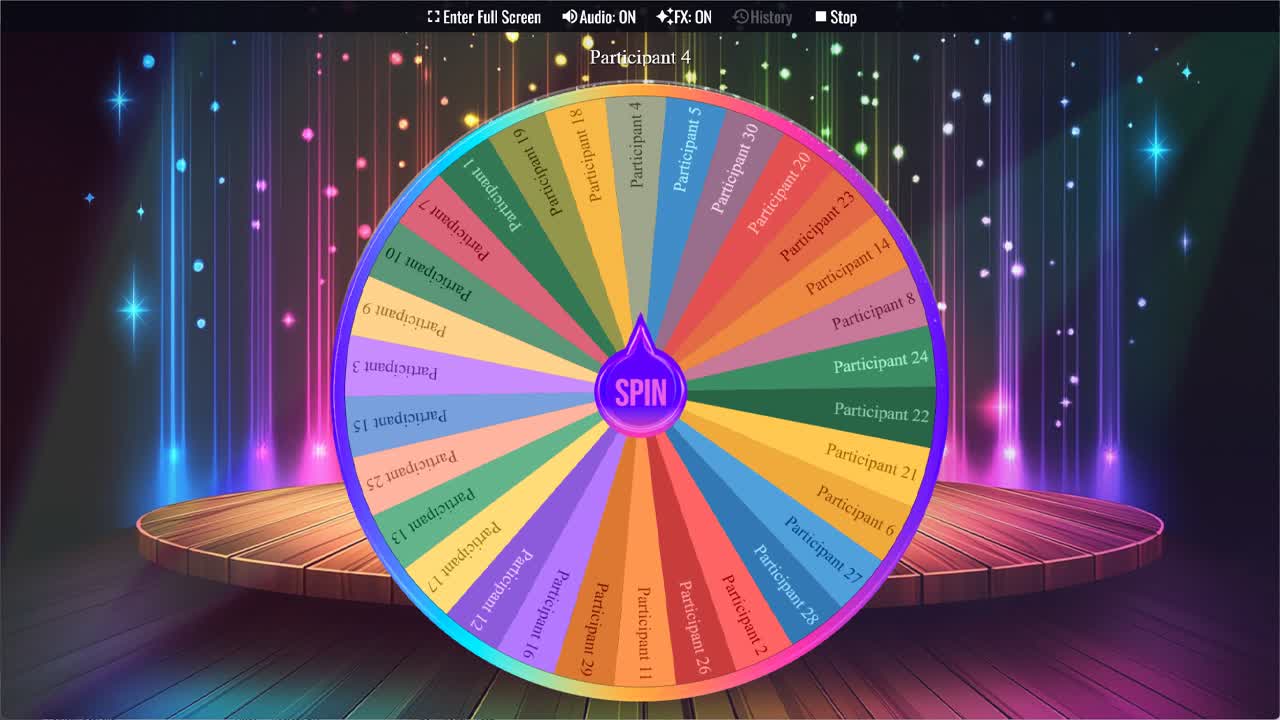
Spin the wheel to randomly pick a raffle winner.
The Raffle Winner Picker makes selecting a raffle winner fast, fair, and visible to everyone involved. Add your participants' names to the wheel, spin, and whoever the wheel lands on wins. The selection process is transparent — every name on the wheel is clearly visible, the spin happens in front of everyone watching, and the result is immediate and unambiguous. There's no drawing names from a hat, no private algorithm that only the organizer sees, and no question about whether the process was conducted fairly.
This random winner generator wheel comes pre-loaded with 30 participant slots (Participant 1 through Participant 30) that you replace with your actual ticket holders' names or numbers. Duplicate it into your account, update the labels to match your raffle entries, save, and share the link for your drawing event. Whether you're running a charity raffle, a school fundraiser drawing, a holiday party game, or a social media contest, the spinning wheel format makes the selection moment feel like the event it should be.
Raffle vs. Giveaway — Which Wheel to Use
The Raffle Winner Picker and the Giveaway Winner Picker in the gallery function identically — both select a random name from a list and both use the same spinning format. The distinction is contextual: raffles typically involve ticket purchases where participants receive a numbered ticket, making the wheel an ideal format since you can label slices by ticket number or holder name and spin in front of the audience. Giveaways typically involve online entry mechanisms like comments or form submissions. Either wheel works for either context — use whichever label fits your event's terminology and what your participants expect to see.
Using the Wheel for Charity and Fundraiser Raffles
Charity and fundraiser raffles benefit especially from the raffle wheel picker format because the transparency of the wheel directly supports the credibility of the event. When ticket buyers can watch a physical or projected screen and see every ticket holder's name on the wheel, then watch the spin happen live, any concern about the fairness of the draw is immediately resolved. The spinning animation creates the same anticipation that a traditional drum draw does, but in a format that's accessible on any device and immediately shareable as a recording after the event. Add all ticket holders to the wheel — either by name or by ticket number — and spin at the designated drawing time in front of as many participants as possible.
Using the Wheel for School and Classroom Raffles
School raffles, classroom draws, and student recognition events are some of the most common use cases for the random raffle picker. Teachers use it to select students for prizes, rewards, or recognition at the end of a term or event. PTA and school fundraiser committees use it for raffle draws at school events. The wheel works well in these contexts because children and parents respond positively to a format they can see and understand — the fairness is visually obvious in a way that a drawn number from a bowl isn't always for younger participants.
Using the Wheel for Office and Party Raffles
Office holiday party raffles, team event prize draws, and birthday or celebration raffles are all natural fits for the raffle winner wheel. Project the wheel on a shared screen at the event, announce the draw, and spin in front of the room. The spinning format adds a theatrical element to what might otherwise be a brief and anticlimactic moment — people who entered the raffle actually want to watch the draw happen, and the wheel gives them something to watch. For raffles with multiple prizes drawn in sequence, spin for each prize separately and remove each winner before the next spin.
Setting Up the Wheel for Your Raffle
The setup process for your specific raffle draw wheel takes just a few minutes. Duplicate this wheel into your account to get your own editable copy. Replace the "Participant N" placeholder labels with your actual ticket holders' names or ticket numbers — one per slice. If you have fewer than 30 participants, delete the unused placeholders. If you have more, add additional slices. Ensure all slice weights are equal so every ticket has the same probability of being selected. Save your customized wheel and use it at your drawing event, either projected for an in-person audience or shared on screen for a virtual or livestream draw.
Drawing Multiple Winners in Sequence
For raffles where multiple prizes are awarded — first prize, second prize, third prize, and so on — the raffle winner picker handles sequential draws cleanly. After the first spin selects a winner, remove that person's slice from the wheel before spinning for the next prize. This ensures no one can win twice and that each subsequent draw only selects from the remaining eligible ticket holders. Announce each winner before removing them and spinning for the next prize, creating a structured sequence of reveals that keeps the audience engaged through the full drawing process.
For more raffle and giveaway tools, browse the Giveaways category or try the Giveaway Winner Picker and Prize Wheel Generator. If your raffle uses ticket numbers instead of names, the Numbers category, Random Number 1-50 Wheel, and Spin the Number 1-100 Wheel are useful related tools.
Frequently Asked Questions
How do I add my raffle ticket holders to this wheel?
Is the Raffle Winner Picker truly random and fair?
Is the Raffle Winner Picker free to use?
How do I draw multiple raffle winners without repeats?
Can I use this wheel for a live in-person raffle draw?
What's the difference between the Raffle Winner Picker and the Giveaway Winner Picker?
How to Spin and Customize This Wheel
- Click Spin This Wheel Now to spin the wheel and pick a random result.
- Use the Duplicate option to copy this wheel into your account.
- Edit the slices, change colors, add sounds, or adjust slice weights.
- Save your customized wheel and share it with others.
Related Wheels
Random Student Picker
Spin the Random Student Picker Wheel to randomly choose a student for classroom participation or activities.
Student Name Picker
Use the Student Name Picker Wheel to randomly select a student name for activities, discussions, or classroom participation.
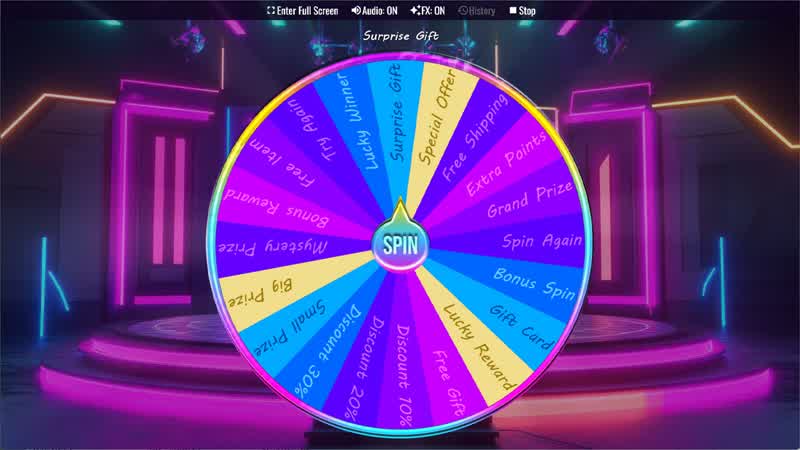
Download the Spin The Wheel App
The app is also available to download for a faster, offline-capable experience on all your devices — available on Windows, Mac, iOS, Android, and Steam.