Random Color Generator Wheel – Spin the Color Picker
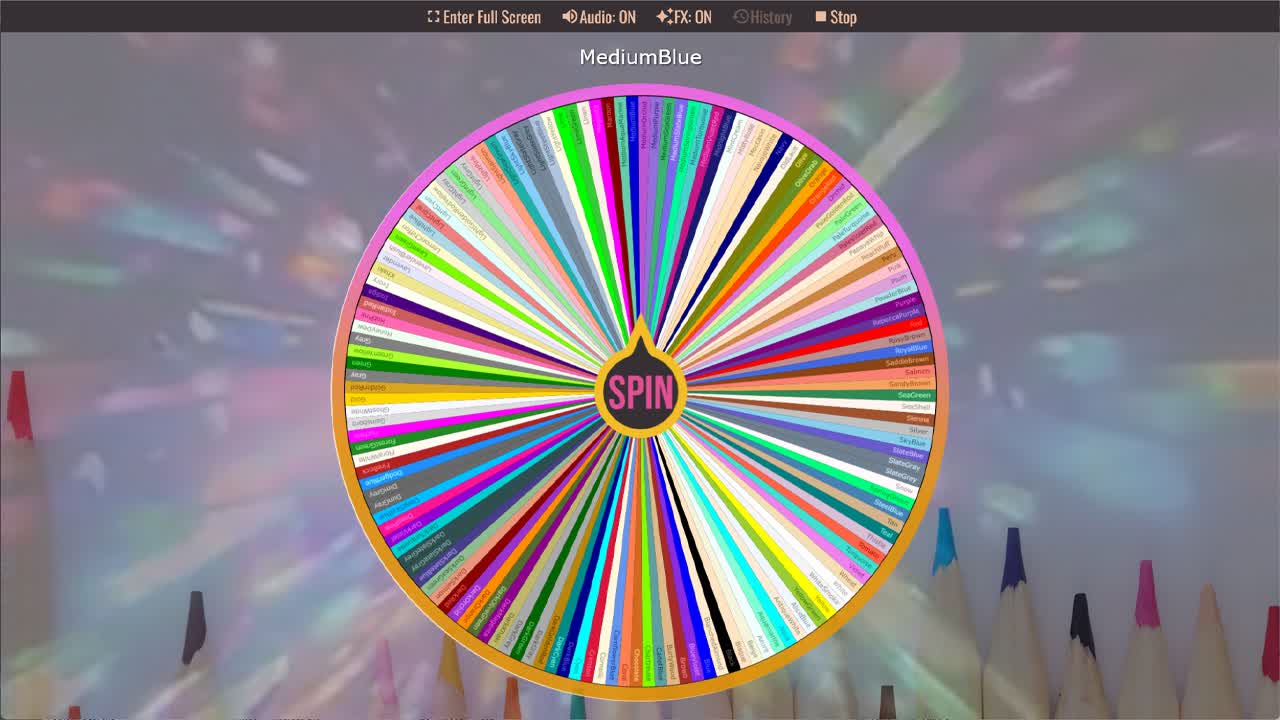
Spin the Random Color Generator wheel to randomly choose a color.
The Random Color Generator Wheel is a fun and useful way to pick a random color for design projects, art activities, classroom games, creative prompts, website mockups, color challenges, and inspiration. Instead of manually choosing a color from a list, you can spin the wheel and let it randomly select one color name for you. This wheel includes a wide range of recognizable CSS color names, including Aqua, Aquamarine, Azure, Beige, Black, Blue, BlueViolet, Brown, Chartreuse, Chocolate, Coral, Crimson, Cyan, Gold, Green, HotPink, Indigo, Lavender, Lime, Magenta, Navy, Orange, Pink, Purple, Red, RoyalBlue, Silver, Teal, Tomato, Turquoise, Violet, White, Yellow, and YellowGreen.
Because the wheel uses named colors, it is especially helpful for web designers, students learning CSS, digital artists, teachers, game creators, and anyone who wants a quick color idea without needing to memorize hex codes. Some options are bright and bold, like DeepPink, Fuchsia, OrangeRed, SpringGreen, and DodgerBlue. Others are soft and subtle, such as AliceBlue, AntiqueWhite, FloralWhite, HoneyDew, Ivory, Linen, MintCream, MistyRose, OldLace, PapayaWhip, PeachPuff, Seashell, Snow, WhiteSmoke, and Wheat. Whether you need a background color, theme color, drawing prompt, random team color, or palette starter, this wheel gives you instant inspiration.
What Is the Random Color Generator Wheel?
A random color generator wheel is an interactive spinner that randomly selects one color from a list of color options. Each slice on the wheel contains a different color name. When the wheel stops, the selected result can be used as a color idea for a design, drawing, classroom activity, game, craft, website layout, or creative challenge.
This wheel is useful because color decisions can take time, especially when you are comparing many possible shades. A random color picker removes the pressure of choosing manually and gives you one result at a time. You can spin once for a quick color, spin several times to build a color palette, or customize the wheel with your own favorite colors.
CSS Color Names Included on This Wheel
This color wheel includes many standard named colors used in CSS and web design. These names can be easier to remember than hexadecimal color codes, especially for beginners. Instead of typing a value like a hex number, designers can use readable color names such as Crimson, RoyalBlue, SeaGreen, Tomato, Gold, Lavender, SlateBlue, OrangeRed, MediumPurple, and DeepSkyBlue.
The list includes light colors, dark colors, warm colors, cool colors, neutrals, blues, greens, pinks, purples, reds, browns, yellows, and grays. This variety makes the wheel flexible for many creative uses. You might land on a soft background color like LemonChiffon, Linen, or LavenderBlush, or a strong accent color like FireBrick, DarkMagenta, MidnightBlue, or DarkOrange.
Color Ideas for Design and Art Projects
Designers and artists can use the wheel to break out of repetitive color choices. If you normally choose the same blues or grays, spinning the wheel may give you something unexpected like MediumVioletRed, PaleTurquoise, SandyBrown, DarkSeaGreen, or RebeccaPurple. That random result can become a starting point for a logo concept, website section, poster design, digital illustration, or social media graphic.
The wheel can also help create quick color palettes. Spin three to five times and combine the results into a palette. For example, a spin might create a soft palette with MistyRose, PowderBlue, Khaki, and Lavender. Another spin could create a bold palette with Crimson, Navy, Gold, and ForestGreen. Random combinations can lead to interesting design ideas you may not have chosen manually.
Using the Wheel for Games and Classroom Activities
This random color picker is also useful for games, school activities, and group challenges. Teachers can spin the wheel to assign drawing colors, craft colors, team colors, writing prompts, or classroom categories. Game hosts can use it to choose random colors for party games, trivia teams, board game decisions, or creative challenges.
For kids and students, color wheels make learning more interactive. They can practice recognizing color names, comparing warm and cool colors, sorting light and dark colors, or learning CSS color names in a web design lesson. Because the result is random, each spin feels like a small surprise.
How to Use the Random Color Picker
Spin the wheel and use the result as your random color. If you are designing a page, try the selected color as a background, border, button, highlight, label, or accent. If the color is too bright or too dark, you can still use it as inspiration and adjust the shade later in your design software or CSS.
You can also spin multiple times to create a set of colors. For example, use one spin for a background color, one for a text accent, one for a button, and one for a border. If you are using the wheel for art, spin once for the main color and again for supporting colors. You can remove colors you do not want and keep only the shades that match your project.
Customize the Color Wheel
The wheel can be customized for different types of projects. You might create a wheel with only pastel colors, only dark colors, only brand colors, only warm colors, or only blue and green shades. For web design practice, you can keep the CSS color names and use the results directly in your stylesheet.
Customization is also helpful if you are using the wheel with a group. Add your team colors, school colors, favorite colors, or colors from a specific theme. Then spin the wheel to choose a random result fairly and quickly.
For more creative and classroom tools, browse the Decisions category, classroom spinner wheels, and game spinner wheels. This color picker also works well with the Random Idea Generator, Writing Prompt Generator, and Random Letter Generator for art prompts, design challenges, classroom games, and creative exercises.
Frequently Asked Questions
What colors are included in this random color generator wheel?
Can I use these color names in CSS?
What can I use a random color generator for?
Can I create a random color palette with this wheel?
Can I customize the color picker wheel?
How to Spin and Customize This Wheel
- Click Spin This Wheel Now to spin the wheel and pick a random result.
- Use the Duplicate option to copy this wheel into your account.
- Edit the slices, change colors, add sounds, or adjust slice weights.
- Save your customized wheel and share it with others.
Related Wheels
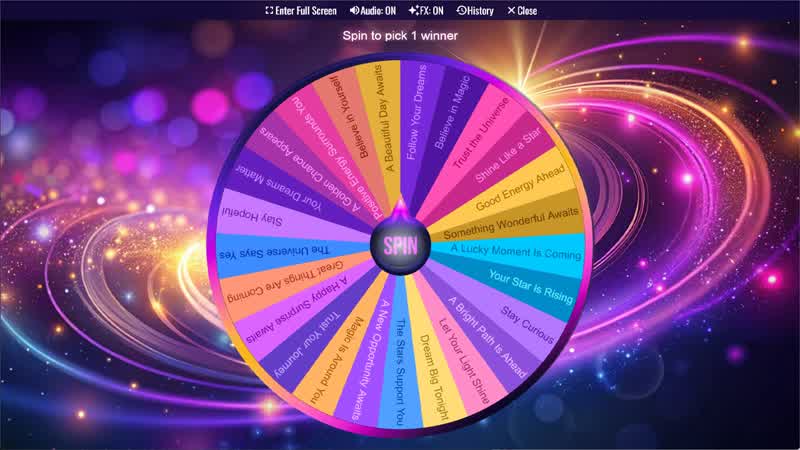
Message From The Stars
Spin the wheel to receive a random message from the stars filled with inspiration and positive energy.
Random Choice Generator
Spin the Random Choice Generator wheel to randomly choose one option.
Yes No Maybe Wheel
Spin the Yes No Maybe Wheel to randomly choose yes, no, or maybe.
Positive Affirmation Wheel
Spin the wheel to receive a random daily affirmation and boost your confidence.
Download the Spin The Wheel App
The app is also available to download for a faster, offline-capable experience on all your devices — available on Windows, Mac, iOS, Android, and Steam.